
THE SHORT ANSWER
A transcript must establish the educational fact the announcement requires. Confirm both the contents of the record and its inclusion in the agency's submitted package.
What to keep in mind
- Read whether an unofficial copy is accepted at application.
- Check the facts the transcript must establish.
- Uploading to a profile is not the same as submitting the document.
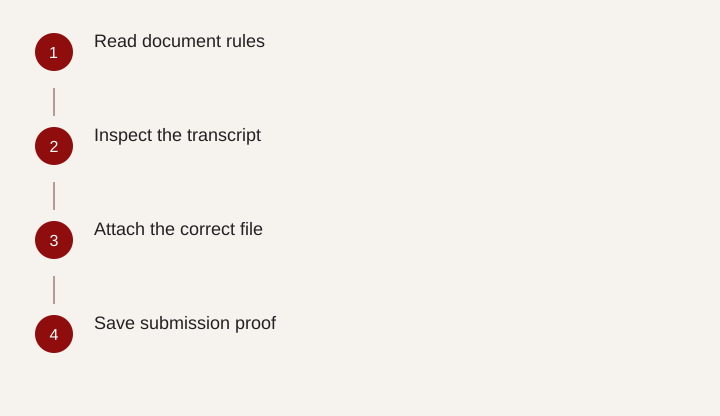
- Read document rules
- Inspect the transcript
- Attach the correct file
- Save submission proof
Identify what the transcript must prove
A transcript is useful because it establishes educational facts, not merely because the file is labeled “transcript.” Before uploading it, identify what the announcement needs: a completed degree, particular coursework, a level of graduate study or another specified qualification.
The USAJOBS education guidance explains that education-based qualification may require transcript evidence. The application document guidance should be read alongside the actual vacancy, which may distinguish an acceptable application-stage copy from official records requested later.
Do not assume a diploma, a course list and a transcript are interchangeable. They can show different information. A diploma may establish a degree but omit coursework; an unofficial course report may omit the conferral date. Match the document to the requirement and read it yourself before submitting. That small inspection can prevent a complete-looking package from failing to demonstrate the particular fact the agency needs.
Inspect identity and completion information
Check that the record identifies you and the institution clearly. Verify the degree type, field and conferral date if you are claiming a completed credential. Attendance dates alone may not establish that the degree was awarded.
If the record does not show a needed fact, ask the institution what document or updated version can establish it. Then compare that option with the announcement's instructions. Do not edit an educational record to insert a missing date or alter its appearance as an official document.
A fictional applicant downloads an unofficial transcript before the registrar posts the completed degree. The courses are present, but the conferral field is blank. Calling the file “final transcript” does not change that. The applicant needs an appropriate updated record or agency-approved evidence, obtained within the applicable deadline. The correct next action is document clarification, not a more persuasive resume description of the same missing fact.
Review coursework and readability
When a position requires specific academic content, confirm that the record contains the relevant courses, credits and other information requested. Do not assume the reviewer can infer specialized coursework from the degree title.
Open the exact file you intend to attach. Check every page, orientation, cut-off edges, faint text and whether course names remain legible at an ordinary viewing size. A readable scan is more useful than an oversized image that loses part of the record. Keep the document complete enough to establish the qualification.
Follow file-type, size and security instructions in the application system. If a protected or digitally signed record cannot be handled by the system, obtain an acceptable version through the institution or ask the agency for instructions. Do not strip protections or alter an official record in a way that misrepresents its status. Label unofficial and official copies accurately.
Use a transcript inspection checklist
Complete the checklist for the actual vacancy rather than treating it as a universal list of every field every agency requires.
| Check | Question | Result to record |
|---|---|---|
| Applicant identity | Does the record clearly identify me? | Visible or needs clarification |
| Institution | Is the source of the education clear? | Name and record type |
| Degree completion | Does it show the fact I claim? | Degree and conferral date if required |
| Coursework | Are required subjects and credits documented? | Relevant pages or courses |
| File integrity | Can the uploaded copy be opened and read? | Checked after upload |
| Submission | Is this file attached to this application? | Receipt or package confirmation |
Keep an unresolved-item column. A missing conferral date and an unreadable page require different fixes, so do not collapse every issue into “transcript problem.” The checklist should tell you what to request, from whom and before which deadline.
Verify the agency received the intended file
Saving a document in your USAJOBS profile does not by itself establish that it was attached to every application. Follow the selection and agency handoff steps, then inspect the package or confirmation available in the hiring agency's system.
Use clear file names that distinguish institutions, record types and versions. Avoid several files with nearly identical names if one contains outdated information. The application record should make it possible to identify which version was sent.
After submission, retain the announcement, document manifest and confirmation. If the system lets you reopen the package, verify the attachment there. Do not rely solely on the file still visible in your profile. This distinction matters when a later notice says the transcript was absent: the issue may concern attachment, contents, readability or an education requirement, and each needs a different response.
Ask about a specific discrepancy
If a notice says the transcript was missing or insufficient, first review the exact submitted package and the announcement's requirement. Determine whether the document was absent, whether a required fact was missing, or whether the record appears to have been overlooked.
A concise inquiry might say: “For announcement [number], I received a notice concerning transcript documentation. The submitted package includes [file name], and page [number] appears to show [specific required fact]. Could you clarify what information was insufficient or review whether that document was considered?” Use placeholders with your actual facts.
Do not assume a review request guarantees acceptance of new documents after closing. Follow the agency's process and distinguish evidence already submitted from a later correction. Regardless of the outcome, update your document checklist. A reusable, inspected education packet reduces preventable errors across future applications while leaving the agency to determine whether the records meet the vacancy's requirements.
Related questions
Are unofficial transcripts always accepted?
No universal assumption is safe. Follow the announcement's instructions for application-stage and later official records.
What if I uploaded a transcript but was told it was missing?
Inspect the actual submitted package and the file contents first. If it was included, ask the agency to review the specific discrepancy.
Sources & further reading
Primary references
Community questions behind this guide
These discussions informed the question and language. Personal accounts are not verified facts or professional advice. Read our method.